Schumacher Battery Charger: Understanding SUL Code & Troubleshooting
Schumacher chargers display a SUL code when they detect significant lead sulfate crystals forming on a battery’s plates, indicating potential failure․ This error requires immediate attention and troubleshooting, as indicated in the SC1308 and SC1280 manuals․
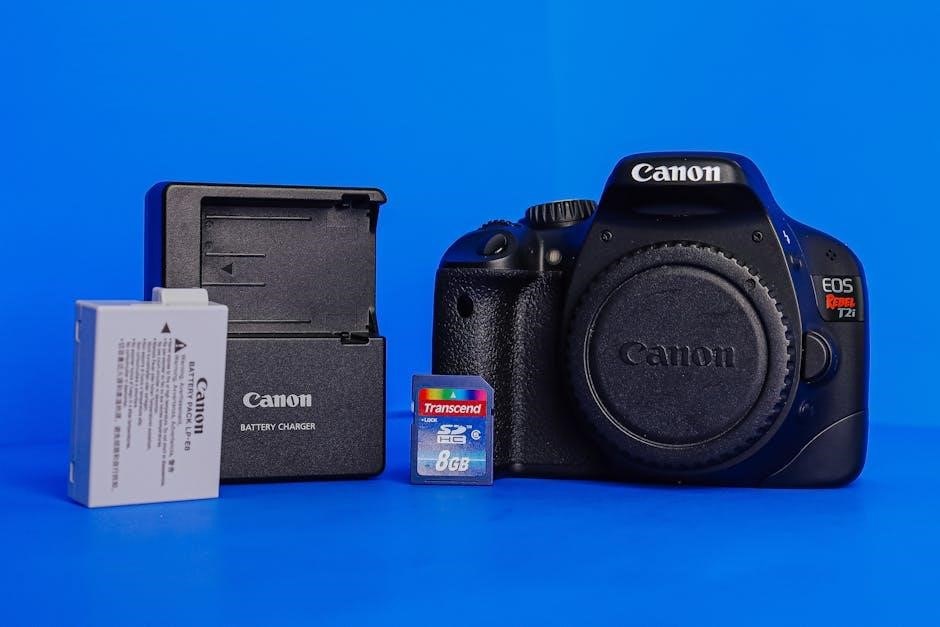
Schumacher Electric Corporation has been a prominent name in automotive battery chargers and jump starters for decades, renowned for reliability and innovation․ Their products cater to a wide range of users, from automotive enthusiasts and DIY mechanics to professional technicians․ A key feature across many Schumacher models, including the SC1308, SC1280, and SC1307, is their diagnostic capabilities, which extend beyond simply charging a battery․
Modern Schumacher chargers incorporate advanced algorithms to assess battery health during the charging process․ This includes monitoring voltage, current, and even detecting internal resistance changes․ When a problem is identified, the charger communicates it to the user through error codes displayed on the unit․ One such code is “SUL,” which signifies a potentially serious issue: battery sulfation․ Understanding these error codes, and specifically the SUL code, is crucial for maximizing battery life and ensuring the charger functions optimally․ The manuals available on platforms like ManualsLib provide detailed explanations of these codes and recommended troubleshooting steps․
This guide will delve into the meaning of the SUL code, its causes, and how to address it, drawing from information found in Schumacher owner’s manuals and online resources․
What Does the “SUL” Code Mean?
The “SUL” code displayed on a Schumacher battery charger, such as the SC1308 or SC1280, is a diagnostic indicator signaling that the charger has detected a sulfated battery․ This doesn’t necessarily mean the battery is immediately unusable, but it indicates a significant buildup of lead sulfate crystals on the battery’s lead plates․ These crystals impede the battery’s ability to accept and hold a charge, reducing its overall performance and lifespan․
According to owner’s manuals and resources like ManualsLib, the SUL code signifies that the sulfation process has progressed to a point where the charger is struggling to effectively revitalize the battery through standard charging cycles․ The formation of these crystals is a natural byproduct of battery discharge, but prolonged periods of low charge or inactivity accelerate the process․
Essentially, the SUL code is an early warning system, alerting the user to a developing problem․ Ignoring this code can lead to complete battery failure, necessitating replacement․ Addressing the issue promptly, through desulfation modes (if available) or other troubleshooting steps, may help restore some of the battery’s capacity․
Battery Sulfation Explained
Battery sulfation is a chemical process occurring within lead-acid batteries, like those often charged by Schumacher chargers․ During normal discharge, lead sulfate forms on the battery’s plates․ However, when a battery remains in a discharged state for extended periods, these lead sulfate crystals harden and become difficult to dissolve during recharging․ This buildup restricts the active surface area of the plates, diminishing the battery’s capacity to store energy․
As the sulfation progresses, the battery’s internal resistance increases, making it harder to charge and deliver power․ The SUL code on a Schumacher charger indicates the charger has detected this significant sulfation․ It’s a natural process, but factors like infrequent use, consistently low charge levels, and operating in extreme temperatures accelerate it․
Initially, a sulfated battery might still function, but with reduced capacity and shorter runtimes․ Over time, the sulfation becomes irreversible, leading to complete battery failure․ Understanding this process is crucial for preventative maintenance and interpreting error codes like the SUL code displayed on models like the SC1308 and SC1280․
Causes of Battery Sulfation
Several factors contribute to battery sulfation, triggering the SUL code on Schumacher chargers․ The most common cause is prolonged periods of inactivity․ When a battery isn’t regularly charged, the naturally forming lead sulfate crystals harden, becoming resistant to dissolving during subsequent charging cycles․ Consistent undercharging also plays a significant role; if a battery is frequently drained but not fully recharged, sulfation accelerates․
Operating a battery in extreme temperatures – both hot and cold – exacerbates the issue․ High temperatures increase the rate of corrosion within the battery, while cold temperatures reduce the battery’s ability to accept a charge, promoting sulfation․ Overcharging, though less common, can also contribute by causing plate corrosion and shedding material․
Furthermore, storing a battery in a discharged state is particularly damaging․ Even newer batteries, like those used with SC1308 or SC1280 chargers, are susceptible․ Addressing these causes through proper maintenance and timely charging can help prevent the SUL error and extend battery life․
Identifying a Sulfated Battery
Recognizing a sulfated battery is crucial when a Schumacher charger displays a SUL code․ Beyond the error message itself, several indicators suggest sulfation is present․ A noticeably reduced charging acceptance is a key sign; the battery may take significantly longer to reach a full charge, or not charge fully at all․ Diminished cranking power, especially in vehicle batteries, is another telltale symptom․
Visually, a sulfated battery might exhibit a white, powdery substance on the terminals – a buildup of lead sulfate․ However, this isn’t always visible․ A hydrometer test provides a more definitive assessment․ Sulfated batteries typically show consistently low specific gravity readings across all cells, indicating reduced electrolyte density․
If your SC1308 or SC1280 charger repeatedly flags the SUL error, even after attempting desulfation, it strongly suggests irreversible sulfation․ While desulfation modes can sometimes recover mildly sulfated batteries, severe cases require battery replacement to ensure reliable performance․
Schumacher Charger Models & SUL Code Compatibility
The “SUL” code, indicating battery sulfation, isn’t universally displayed across all Schumacher battery charger models․ However, it’s a common error code found in many of their automatic chargers, particularly those designed for 12-volt systems․ Models like the SC1308, SC1280, and SC1307 frequently utilize this code to alert users to a potentially failing battery․
Older or more basic Schumacher chargers might not have a dedicated SUL code․ Instead, they may indicate sulfation indirectly through other error messages, such as low voltage (F01) or failure to reach a full charge․ Checking the specific owner’s manual for your charger model is essential to understand its error code system․

Schumacher’s documentation, available on platforms like ManualsLib and Manualzz, confirms the SUL code’s presence in several models․ Understanding your charger’s compatibility with this code is the first step in effective troubleshooting when battery issues arise․
SC1308 Model: SUL Code Specifics
The Schumacher SC1308 charger explicitly utilizes the “SUL” code to signal the detection of a sulfated battery․ As detailed in the SC1308 owner’s manual available on ManualsLib, this code signifies that the charger has identified significant sulfate crystal buildup on the battery’s lead plates․ This buildup hinders the battery’s ability to accept and hold a charge, ultimately leading to reduced performance and eventual failure․
When the SC1308 displays a SUL code, it indicates the charger is attempting to compensate for the increased internal resistance caused by sulfation․ The charger may attempt a desulfation cycle, if equipped, but prolonged or severe sulfation may render this ineffective․ The manual emphasizes that a SUL code doesn’t always mean immediate battery replacement, but it warrants careful evaluation and testing․
Troubleshooting steps for the SC1308’s SUL code involve verifying battery voltage, checking connections, and potentially attempting a desulfation mode․ However, the manual also advises considering battery replacement if the issue persists․
SC1280 Model: SUL Code Specifics
The Schumacher SC1280 battery charger, similar to other models, employs the “SUL” error code to indicate the presence of sulfation within a 12-volt battery․ As reported on ClassicOldsmobile․com, users have encountered this code, with the charger’s internal diagnostics identifying crystal formation on the lead plates․ This sulfation process diminishes the battery’s capacity to effectively store and deliver power, signaling a decline in its overall health․
When the SC1280 displays a SUL code, it suggests the battery’s internal resistance has increased due to the sulfate crystals․ While the charger might attempt a recovery process, the severity of the sulfation dictates the success rate․ The manual doesn’t explicitly detail a desulfation mode for this model, emphasizing the potential for irreversible damage․
Troubleshooting the SC1280’s SUL code involves verifying the battery’s voltage and ensuring secure connections․ However, the code often points towards a significantly sulfated battery, potentially requiring replacement to restore optimal performance․
SC1307 & SC1308 Models: Common Error Codes
Schumacher’s SC1307 and SC1308 automatic battery chargers share a common error code system, with “SUL” signifying a sulfated battery․ ManualsLib details that these chargers, along with models like the SC1362 and SC1300, utilize this code to alert users to the formation of lead sulfate crystals on the battery plates․ This indicates a reduction in the battery’s ability to hold a charge and foreshadows potential failure․
Beyond the SUL code, both models also display “F01,” indicating a low voltage condition – specifically, below 10V for a 12V battery or 5V for a 6V battery after a two-hour charging period․ This error often correlates with severe sulfation, as the crystals internally increase resistance and lower overall voltage․
Understanding these error codes is crucial for effective troubleshooting․ While the SC1307 and SC1308 may attempt to recover a sulfated battery, persistent SUL or F01 codes often necessitate battery testing or replacement for optimal performance․
Troubleshooting Steps When SUL Code Appears
When a Schumacher charger displays the “SUL” code, indicating battery sulfation, a systematic approach to troubleshooting is essential․ First, verify the battery voltage using a multimeter; a reading significantly below 12V (for a 12V battery) supports the sulfation diagnosis․ Next, check battery connections, ensuring they are clean and tight, as poor contact can mimic a sulfation issue․
If your Schumacher model features a desulfation mode, attempt to utilize it, following the charger’s manual instructions․ This mode applies a specific charging pulse designed to break down sulfate crystals․ However, success isn’t guaranteed․ A battery testing with a hydrometer provides a more definitive assessment of individual cell health and sulfation levels․
If the SUL code persists after these steps, or if hydrometer tests confirm severe sulfation, the battery may be beyond recovery, necessitating replacement․ Remember to consult your charger’s manual for model-specific guidance․
Step 1: Verify Battery Voltage
The initial step when encountering a “SUL” code on your Schumacher battery charger is to meticulously verify the battery’s voltage․ A significantly low voltage reading strongly corroborates the charger’s diagnosis of sulfation․ Using a digital multimeter, carefully connect the probes to the battery terminals – red to positive (+), black to negative (-)․ For a standard 12-volt battery, a voltage below 10V, as noted in the SC1281 manual, is a critical indicator․
This low voltage isn’t necessarily the cause of the sulfation, but rather a symptom and a consequence of the internal chemical changes occurring within the battery․ A healthy, fully charged 12V battery should register around 12․6 volts or higher․ A reading substantially lower suggests the battery’s ability to hold a charge has been compromised by sulfate crystal buildup on the lead plates․
Record the voltage reading for comparison after subsequent troubleshooting steps․ This baseline measurement will help determine if any attempted recovery efforts are proving effective․
Step 2: Check Battery Connections
Following voltage verification, thoroughly inspect the battery connections․ Poor or corroded connections can mimic the symptoms of a sulfated battery, triggering a false “SUL” code on your Schumacher charger․ Begin by visually examining the battery terminals and the charger clamps for any signs of corrosion – a white, bluish, or greenish powdery substance․ Even a thin layer of corrosion can impede the flow of current․
Disconnect the charger clamps from the battery terminals․ Using a wire brush or a dedicated battery terminal cleaning tool, carefully remove any corrosion from both the terminals and the clamps․ Ensure all debris is cleared away․ Reconnect the clamps, ensuring a firm and secure grip on the terminals․ A loose connection can also cause intermittent charging and contribute to sulfation over time․
Referencing the SC1308 owner’s manual, remember that clean clamps are essential for optimal performance․ After cleaning, re-verify the battery voltage to see if the connection improvement has yielded any positive change․
Step 3: Attempt Desulfation Mode (If Available)

Many Schumacher battery chargers, including models like the SC1308 and potentially the SC1280, feature a desulfation mode specifically designed to address the issue indicated by the “SUL” code․ This mode applies a controlled, high-frequency current to the battery, attempting to break down the lead sulfate crystals that have formed on the plates․
Consult your charger’s manual to confirm if desulfation mode is available and to understand the specific procedure for activating it․ The process typically involves selecting the desulfation setting on the charger and allowing it to run for a designated period, which can range from several hours to overnight․ Be aware that desulfation isn’t always successful, particularly with severely sulfated batteries․
The effectiveness of desulfation depends on the extent of the sulfation․ While it can restore some battery capacity, it’s not a guaranteed fix․ Monitor the charger’s display during the desulfation process; some models will indicate progress or completion․ After desulfation, re-test the battery’s voltage and attempt a normal charge cycle․
Step 4: Battery Testing with a Hydrometer
If the “SUL” code persists after attempting desulfation, a hydrometer test provides a more definitive assessment of the battery’s condition․ A hydrometer measures the specific gravity of the electrolyte in each cell, indicating the level of charge and the presence of sulfation; Healthy cells will exhibit a consistent specific gravity reading, typically around 1․265 for a fully charged 12V battery․
Significantly lower readings in one or more cells suggest sulfation has occurred within those specific cells․ A substantial variance between cells confirms an uneven charge distribution and indicates irreversible damage․ This test is crucial because a Schumacher charger displaying a SUL code is signaling potential internal battery issues beyond simple discharge․
Carefully follow the hydrometer’s instructions for accurate readings․ Remember to wear appropriate safety gear, such as gloves and eye protection, when handling battery acid․ If the hydrometer reveals widespread low specific gravity readings, it strongly suggests the battery is beyond recovery and requires replacement, despite any attempts at desulfation․
Understanding Low Voltage Errors (F01)
The “F01” error code on a Schumacher battery charger signifies a low voltage condition, specifically when the battery remains below 10V (for a 12V battery) or 5V (for a 6V battery) after two hours of charging․ While seemingly distinct from the “SUL” code, low voltage can be a consequence of severe sulfation․ Extensive sulfate crystal buildup restricts the flow of current, effectively lowering the battery’s voltage output․
Therefore, an F01 error appearing alongside or following a SUL code suggests the sulfation is so advanced that the battery struggles to accept a charge, resulting in persistently low voltage․ It’s crucial to differentiate between a genuinely discharged battery and one hindered by sulfation․ A healthy battery should show a voltage increase during the initial charging phase․
If the charger repeatedly displays F01, even after attempting desulfation, it reinforces the likelihood of irreversible sulfation․ The SC1308 and other models utilize this code to alert users to a potentially unrecoverable battery condition, prompting consideration for replacement․
The Relationship Between Sulfation and Low Voltage
A direct correlation exists between battery sulfation and declining voltage levels․ As lead sulfate crystals accumulate on the battery plates – the condition flagged by the “SUL” code on Schumacher chargers – the active surface area for chemical reactions diminishes․ This reduction directly impedes the battery’s ability to store and deliver electrical energy, manifesting as a lower voltage output․
Initially, sulfation might only subtly affect voltage, but as the crystal growth progresses, the voltage drop becomes increasingly pronounced․ A severely sulfated battery struggles to reach its nominal voltage even with prolonged charging․ This is why a Schumacher charger might repeatedly display a low voltage error (like F01) after detecting sulfation․
Essentially, sulfation acts as an internal resistance, hindering current flow and suppressing voltage․ The charger attempts to compensate, but beyond a certain point, the sulfation is too extensive․ Recognizing this relationship is vital for accurate diagnosis; a low voltage reading isn’t always a simple discharge issue, but potentially a symptom of underlying sulfation․
Maintenance and Care to Prevent Sulfation
Proactive maintenance significantly reduces the risk of battery sulfation, extending your battery’s lifespan and minimizing the chances of encountering a “SUL” code on your Schumacher charger․ Regular cleaning is paramount; battery fluid accumulation can contribute to corrosion and self-discharge, accelerating sulfation․ As highlighted in the SC1308 manual, cleaning clamps after each charge is crucial․
Avoid prolonged periods of partial discharge․ Batteries dislike being consistently left in a partially depleted state, as this encourages sulfate crystal formation․ Fully charge batteries when possible, and avoid storing them in a discharged condition․ Consider using a float charger during extended storage to maintain a full charge․
Furthermore, ensure proper battery connections․ Loose or corroded connections increase internal resistance, hindering charging efficiency and promoting sulfation․ Regularly inspect and clean battery terminals to maintain optimal conductivity․ Consistent care, as outlined in Schumacher documentation, is the best defense against sulfation․
Cleaning Battery Clamps
Maintaining clean battery clamps is a fundamental aspect of battery care and preventing issues that can lead to a “SUL” code on your Schumacher charger․ Corrosion on the clamps hinders the flow of current, reducing charging efficiency and potentially contributing to sulfation․ The SC1308 owner’s manual explicitly recommends cleaning the clamps after every charging session․
To clean, first disconnect the charger from the power outlet․ Then, disconnect the clamps from the battery terminals․ A simple solution of baking soda and water effectively neutralizes acid corrosion․ Apply the mixture to the clamps, allowing it to fizz for a few moments․ Use a wire brush to scrub away the corrosion, then rinse thoroughly with clean water․
Ensure the clamps are completely dry before reconnecting them to the battery․ Applying a corrosion protectant spray after cleaning can further prevent future buildup․ Clean clamps ensure a solid electrical connection, optimizing charging and minimizing the risk of sulfation-related errors․
When to Replace a Sulfated Battery
If your Schumacher charger consistently displays a “SUL” code, despite desulfation attempts, it strongly indicates irreversible sulfation․ While desulfation modes on chargers like the SC1308 and SC1280 can sometimes recover mildly sulfated batteries, severe sulfation renders the battery incapable of accepting or holding a charge effectively․
A hydrometer test confirming consistently low specific gravity readings across multiple cells is a definitive sign of a deeply sulfated battery․ If the battery fails to reach a full charge even after a prolonged charging period, replacement is necessary․ Continuing to attempt charging a severely sulfated battery can be detrimental, potentially damaging the charger itself․
Consider the battery’s age; batteries nearing the end of their lifespan are more prone to sulfation․ Prioritize replacement for safety and reliability․ Ignoring a sulfated battery can lead to unexpected failures and inconvenience․ A new battery ensures optimal performance and prevents further issues․
Resources for Schumacher Charger Manuals
Accessing the correct manual is crucial for understanding error codes like “SUL” on your Schumacher battery charger․ ManualsLib is a valuable online resource, offering downloadable manuals for models such as the SC1308, SC1280, SC1307, and others․ These manuals detail troubleshooting steps, error code explanations, and maintenance procedures․
Manualzz also provides access to Schumacher charger manuals, offering insights into specific error codes and their meanings․ Searching by model number (e․g․, FR01235) ensures you find the correct documentation․ These resources are particularly helpful when deciphering the “SUL” code and understanding the implications of battery sulfation․
The official Schumacher Electric website may also host manuals or links to authorized distributors offering them․ Always refer to the official manual for accurate information regarding your specific charger model and its error code interpretations․ Utilizing these resources empowers you to effectively diagnose and address battery charging issues․